
When pressing Refresh
The setting is in: Administration Center > Features > Sales.
When pressing Refresh gives you the opportunity to set what happens in the bookkeeping detail when you click Refresh. For more information about editing bookkeeping records, go to Edit Bookkeeping Records and Added Products.
Click When pressing Refresh to see the setting options.
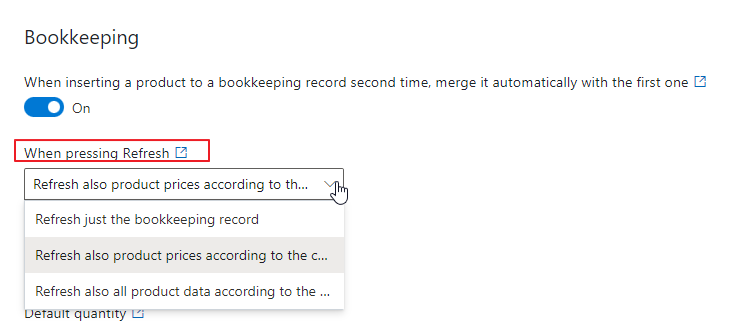
You have these options:
- Refresh - it updates only values in bookkeeping detail, the same as if it were opened.
- Refresh also product prices according to the current prices - it updates not only bookkeeping details, but also prices on products in the bookkeeping record (including purchase prices) by the prices of products or the price list of customers. The following price fields are updated: List Price, Discount, Unit Price, and Currency. Prices are not updated when they are edited after the exchange rate is applied, nor in the case where the list price is changed directly in the cart during its creation.
- Refresh also all product data according to the current state - it updates bookkeeping detail, prices (including purchase prices), and also other values on products (name, code, description, note, etc.). Prices are not updated when they are edited after the exchange rate is applied, nor in the case where the list price is changed directly in the cart during its creation.
When you change the settings, be sure to click Save. For more information, go to Features.
Availability: The setting is available since eWay-CRM 6.0.2.